Parameters Overview
You can use report parameters to pass data to a report before it has been published. Parameter values are specified in a Print Preview’s Parameters panel.
Create Parameters
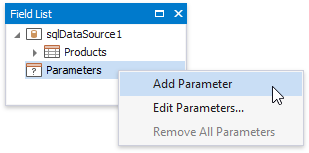
To create a report parameter, switch to the Field List, right-click the Parameters node and click Add Parameter in the context menu.
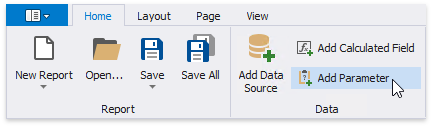
Alternatively, you can click the Add Parameter button in the Toolbar’s Home tab.
This invokes the Add New Parameter dialog where you can customize the created parameter.
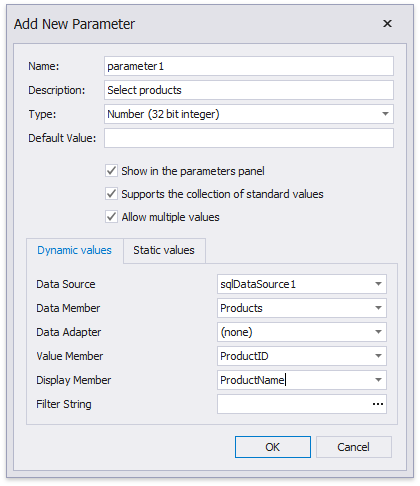
This dialog provides the following options:
- Name - specifies the unique name by which the parameter can be referred to.
- Description - specifies the text that will be displayed in a Print Preview along with the corresponding value editor.
- Type - specifies the parameter’s value type, according to which an appropriate value editor is displayed in a Print Preview.
- Default value - specifies the default parameter value.
- Show in the parameters panel (corresponds to the parameter’s Visible property) - enable this option to request the parameter value in a Print Preview. Otherwise, the default parameter value is silently passed to the report.
-
Supports the collection of standard values - you can enable this option if the parameter is visible (i.e., its value should be requested in a Print Preview). In this case, you can choose a value from a predefined list. You can either manually populate this list with possible values, or specify a data source from where these values should be obtained.
-
Dynamic values
On this tab, you can specify a data source, data adapter (if required) and data member storing parameter values. The value member defines a data field that will provide values to the parameter. The display member defines a data field storing values displayed in a Print Preview.
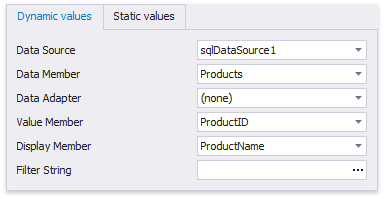
The value type of the specified data member should match the specified parameter type.
You can filter the list of values by specifying the Filter String property. Using this property, you can implement cascading parameters.
-
Static values
Switch to this tab to specify a static list of possible values. Each value should have a description that is displayed in a Print Preview.
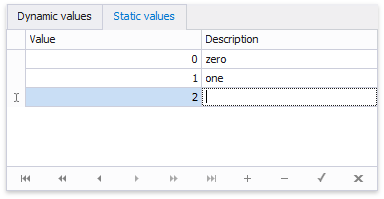
-
- Allow multiple values (corresponds to the parameter’s Multi-Value property) - when this option is enabled, a parameter can be assigned a collection of values.
Use Parameters
You can use report parameters to solve the following tasks:
-
Filter Data
When filtering report data, parameters can be used for providing values to a report’s Filter String property.
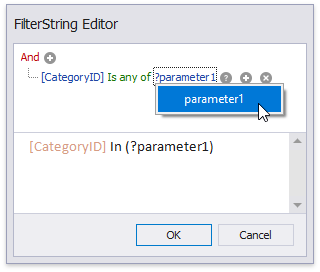
When filtering data at the level of a data source, you can link report parameter to query parameters that are used in the SELECT statement of a SQL string.
-
Bind to Data
You can bind a report control to a parameter and display its value in the report. To create a new label bound to a parameter, drag the parameter from the Field List and drop it onto the required band.
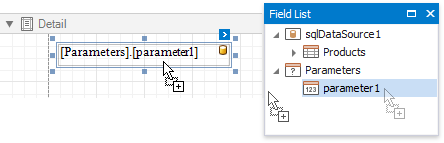
When using mail merge, you can refer to a parameter by adding the Parameters. prefix before its name.
-
Specify Expressions
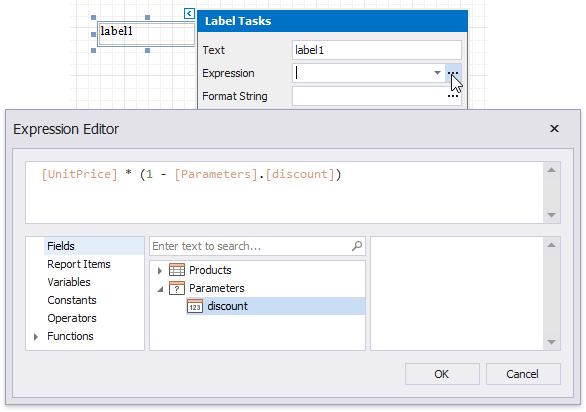
Parameters can be used as part of expressions. To refer to a report parameter, use the Parameters. prefix before its name.